Network Atlas
A private, explainable workspace for organizing an authorized connection export. Explore fictional onboarding or analyze a bounded CSV in your browser, inspect every rule and score, and keep the complete report workflow in the local Python CLI.
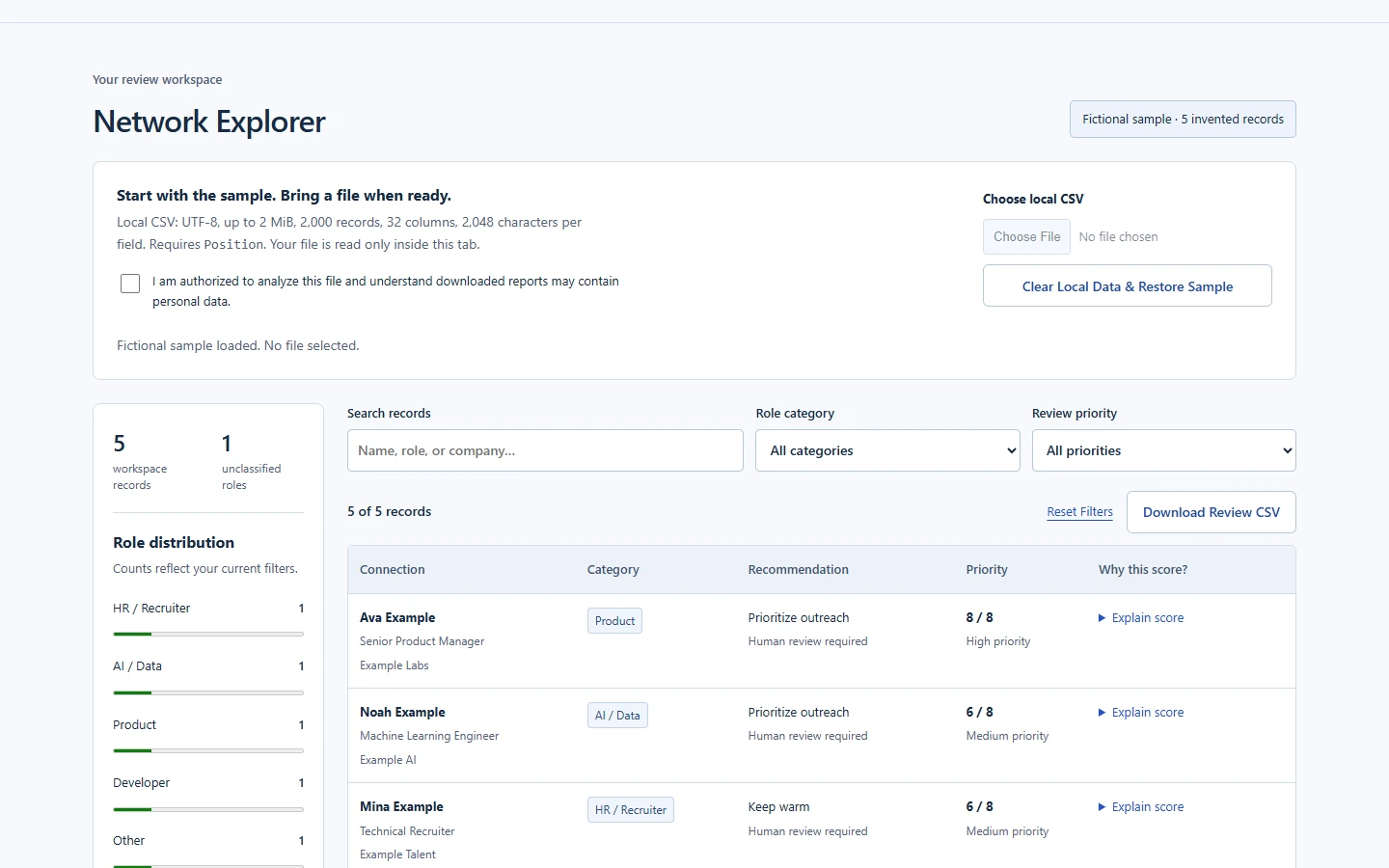
An explicit opt-in file picker reads authorized CSV bytes only in your browser tab: no upload, remote processing, telemetry, persistent storage, profile fetching, or LinkedIn connection. The fictional sample is a separate dataset.
What this product offers
Understand the rules. Keep the context.
The page identifies where computation runs, what data it uses, and which external services are outside its scope.
- 01Analyze up to 2 MiB, 2,000 records, 32 columns, and 2,048 characters per field locally
- 02Combine search, role-category, and priority filters with paginated results and distributions
- 03Inspect matched keywords, category relevance, completeness, and human-review recommendations
- 04Download a formula-quoted nine-column review CSV that omits email, URL, and extra input columns
- 05Use the Python CLI for category CSVs, Excel workbooks, and all six charts
A short guided path
A local file. A transparent review queue.
Explore the product, then review its implementation or source attribution.
- 01Explore the fictional sample or explicitly choose an authorized local CSV
- 02Search and filter the local review queue
- 03Inspect each rule, score, and recommendation with human context
- 04Export the filtered review or clear local data and restore the sample
Local installation
Run the real software in an environment you control.
These steps reflect the repository's public setup documentation. Review its README for platform-specific details and the latest operational guidance.
Prerequisites
- Python 3.10 or newer
- A private working directory and an authorized CSV export
Setup outline
python -m venv .venvLinux/macOS: source .venv/bin/activate · PowerShell: .\.venv\Scripts\Activate.ps1python -m pip install git+https://github.com/AlirezaBelal/linkedin-network-analyzer.gitlinkedin-network-analyzer --input Connections.csv --output-dir private-output --step all
- The CLI supports 20 MiB, 50,000 records, and 64 columns. It produces category CSVs, two Excel workbooks, and six charts.
- CLI CSVs preserve raw text; import them as text in spreadsheet software. Excel outputs quote formula-like text.
- Reruns overwrite managed outputs. Keep reports private and review the README before processing exports.
Scope & trust
Private input. Human decisions.
An explicit opt-in file picker reads authorized CSV bytes only in your browser tab: no upload, remote processing, telemetry, persistent storage, profile fetching, or LinkedIn connection. The fictional sample is a separate dataset.
- Scores combine category relevance and Company/Position/URL presence; they do not measure engagement, relationship strength, or personal worth
- Whole-keyword rules can miss unusual or multilingual titles; Other always requires manual review
- The browser review CSV is smaller than the complete Python report set; it is not secure contact storage
- Reset discards the workspace, not original files, downloaded reports, backups, or forensic memory contents
- No scraping, login automation, account actions, messaging, or unauthorized API access; independent software, not an official LinkedIn product
Continue to the product
Try the browser tool, then inspect the source.
This product overview remains available even if an external application is temporarily unavailable.